Save up to 15%
Save up to 15%
4.3 / 5.0
639 Reviews
This Laptop has an impeccable performance and elegant design to improve your efficiency and adds to your style quotient. It has been made with slen...
View full details4.3 / 5.0
632 Reviews
This Laptop has an impeccable performance and elegant design to improve your efficiency and adds to your style quotient. It has been made with slen...
View full details4.3 / 5.0
624 Reviews
Brand: Lenovo Model Name Lenovo 500e G3 2-in-1 Screen Size 11.6" 1366 x 768 Color Black Storage: 64 GB eMMC CPU Model: Intel Celeron N5100 Ram M...
View full details4.3 / 5.0
642 Reviews
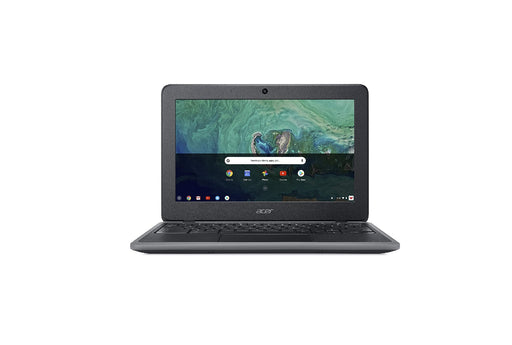
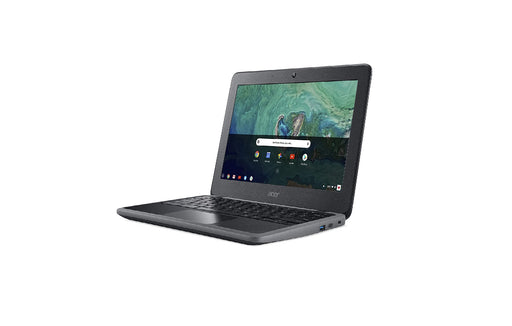
The 11.6" Acer C740 Chromebook is a hassle-free, high-performance computer built for speed, simplicity and security. It boots up in seconds and has...
View full detailsRefurbished Chromebooks are an excellent option for those looking to get more value for their money. These pre-owned Chromebooks have been professionally refurbished to meet or exceed the manufacturer's specifications, ensuring their quality and performance.
Buyers can save money without sacrificing performance or features by purchasing a refurbished Chromebook instead of a new one. Refurbished Chromebooks offer a cost-effective solution for individuals, students, and businesses looking to upgrade their computer systems while keeping costs low.
Additionally, refurbished Chromebooks are often available in bulk quantities, making it easier for businesses and educational institutions to purchase multiple devices at once at a discounted price.
Purchasing a refurbished Chromebook is an excellent way to take your budget further while still getting a high-quality device with the latest features and technology. Refurbished Chromebooks are an excellent choice, whether you’re looking for an individual purchase or outfitting your entire office.
Refurbished Chromebooks and used Chromebooks are both pre-owned devices, but they differ in terms of quality, warranty, and reliability.
Refurbished Chromebooks are subjected to a thorough refurbishing process, including testing and repairing or replacing defective components to meet the manufacturer's standards for functionality and appearance. Refurbished machines generally also have a warranty, depending on the specific refurbishers. Refurb.io includes a warranty on every Chromebook we sell.
Used Chromebooks are sold as-is, without refurbishing or repairs, and typically have no warranty. Used Chromebooks have a higher risk of issues and defects, as they have not been inspected or repaired before being listed for sale.
Buying a refurbished Chromebook is the best way to ensure your next machine operates as expected, has a warranty, and will work as designed.
Consider the following tips to help find the right refurbished Chromebook for your budget and requirements:
These straightforward tips will help you find the right refurbished Chromebook that meets your computing needs and budget. Shop Refurb.io’s line of refurbished Chromebooks today to find your next Chromebook at an excellent price. We carry options from major manufacturers and frequently update our listings so you always have plenty of options to consider.
Find answers to the most commonly asked questions about Refurbished Chromebooks below, including details about specifications, condition, warranty, and what to look for when choosing the right one for yourself.
Chromebook pricing varies significantly based on processor, memory, and display quality. Basic models with Intel Celeron or ARM processors, 4GB RAM, and 32–64GB storage typically fall in the $200–$350 range and handle browsing, Docs, and streaming well. Mid-range options with 8GB RAM and 1080p displays land between $350–$550 and offer noticeably better multitasking and build quality. Premium Chromebooks with Core i3/i5 CPUs, touchscreens, and backlit keyboards — well-suited for Android and Linux apps — run $550 and above. Certified refurbished Chromebooks offer similar performance at lower price points, often with warranty and return coverage included.
The most affordable Chromebooks are compact 11.6–14-inch models powered by Intel Celeron or ARM chips with 4GB RAM and 32–64GB of storage. New, they can dip to $150–$250 during major sales; refurbished versions often sell for under $150. Even at the low end, look for at least 8 hours of battery life, a decent keyboard, Wi-Fi 5 connectivity, and a 1080p display if possible. The most critical thing to check at any price point is the AUE (Auto Update Expiration) date — a Chromebook with only a year of updates remaining is a poor investment regardless of how inexpensive it is.
Schools typically source Chromebooks through district procurement, education resellers, or Google for Education partners. For parents, homeschool families, or smaller schools purchasing independently, a certified refurbisher like REFURB.io offers more flexibility and better pricing than retail.
Before buying for educational use, check the AUE date to confirm how many years of ChromeOS updates remain, verify compatibility with Chrome Education Upgrade (CEU) if your school requires it, and look for ruggedized designs with spill-resistant keyboards if kids will be using them daily. Verified battery health and warranty coverage are essential — particularly for refurbished Chromebooks that need to last multiple school years.
Yes, especially for students and light users. It handles web research, Google Docs, and online learning well, and touchscreen models support Android apps for note-taking and browsing. Convertible (x360) versions add tent and tablet flexibility that's useful in classroom settings.
The trade-offs are worth knowing: the 11.6" screen can feel cramped during sustained multitasking, and entry-level CPUs may slow down with many tabs open. Always verify the specific model number to confirm the processor, display specs, and AUE date before purchasing — the Chromebook 11 line covers a wide range of configurations.
For smooth daily performance, look for a modern CPU (Intel N4020/N5030, Core i3, Ryzen 3, or capable MediaTek), 4–8GB RAM, and 64–128GB of storage — SSD is faster and more reliable than eMMC. A 1080p IPS display makes a real difference in clarity and viewing angle comfort. Wi-Fi 5 or 6 and USB-C ports add practical versatility.
If you want to run Android and Linux apps, prioritize 8GB RAM or more, a Core i3/i5 or higher-end MediaTek processor, and at least 64GB of storage for larger installs. And regardless of what else a Chromebook offers, always check the AUE date — a model with only one or two years of updates remaining is a poor long-term buy.
AUE stands for Auto Update Expiration — the date when Google stops delivering ChromeOS updates and security patches to a specific device model. After that date, the Chromebook still functions, but it no longer receives security fixes, Android and Linux apps may stop updating, and it may become incompatible with managed school or enterprise environments.
For a refurbished Chromebook especially, the AUE date is arguably the most important spec to check. A Chromebook with three or more years of updates remaining is a sound purchase; one with less than a year is essentially end-of-life regardless of its hardware condition. Google publishes AUE dates for all models on their official support page, making it easy to verify before buying.
Yes, refurbished Chromebooks are well-suited for students who need affordable, reliable devices for research, Google Workspace, Meet, and most classroom apps. They're lightweight, boot quickly, and require very little maintenance. For student use, look for 4–8GB RAM, 64–128GB of storage, an 11–14" 1080p display, 8–12 hours of battery life, and a durable chassis that can take daily backpack wear. Always verify the AUE date and warranty terms — particularly if the device needs to last through two or more school years.
Most modern Chromebooks support Android apps via Google Play and Linux through Crostini, which opens up tools like VS Code, Git, and even Blender. For both to run smoothly, you'll want 8GB of RAM or more, an Intel Core i3/i5 or capable ARM/MediaTek processor, and 64–128GB of storage for larger app installs. Before buying, confirm that Android and Linux toggles are available in Settings for that specific model, and check the AUE date to ensure continued compatibility — both features depend on ongoing ChromeOS support.
{"one"=>"Select 2 or 3 items to compare", "other"=>"{{ count }} of 3 items selected"}