Save up to 15%
Save up to 15%
4.2 / 5.0
100 Reviews
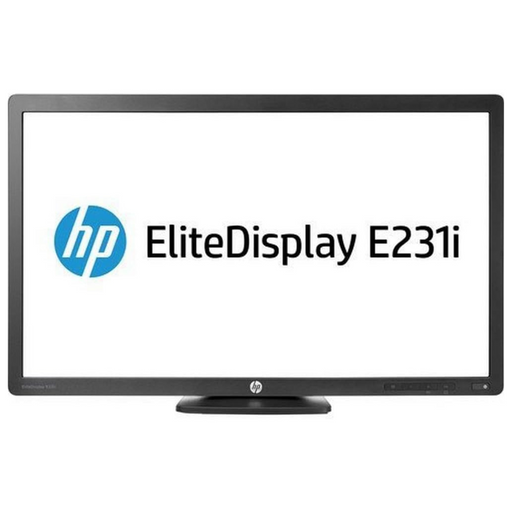
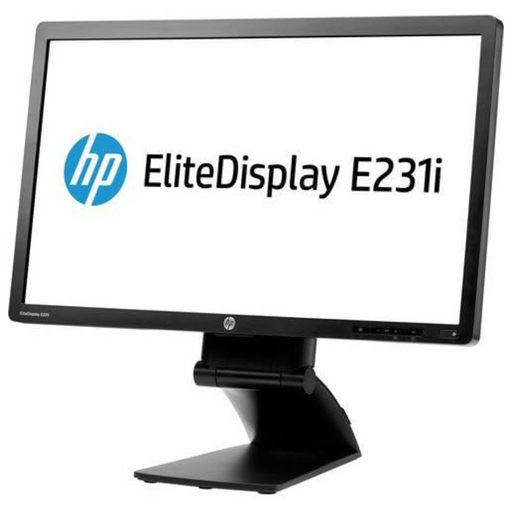
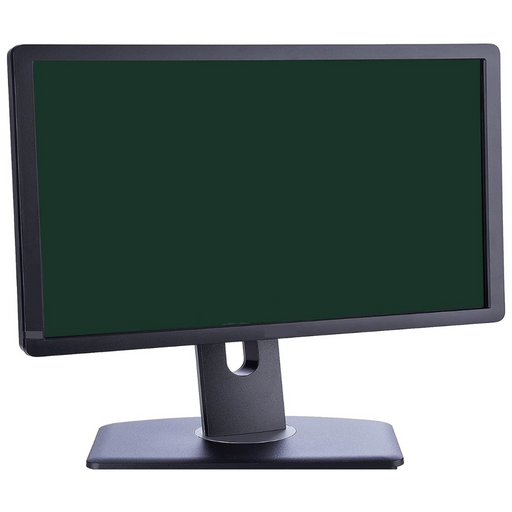
Monitor stand has full adjustability features to maximize viewing comfort. Easily transition from landscape to portrait orientation – gives you the...
View full detailsMonitor stand has full adjustability features to maximize viewing comfort. Easily transition from landscape to portrait orientation – gives you the...
View full details4.2 / 5.0
100 Reviews
Monitor stand has full adjustability features to maximize viewing comfort. Easily transition from landscape to portrait orientation – gives you the...
View full details4.1 / 5.0
99 Reviews
Monitor stand has full adjustability features to maximize viewing comfort. Easily transition from landscape to portrait orientation – gives you the...
View full details4.2 / 5.0
100 Reviews
Monitor stand has full adjustability features to maximize viewing comfort. Easily transition from landscape to portrait orientation – gives you the...
View full details4.2 / 5.0
100 Reviews
Monitor stand has full adjustability features to maximize viewing comfort. Easily transition from landscape to portrait orientation – gives you the...
View full details4.1 / 5.0
99 Reviews
Monitor stand has full adjustability features to maximize viewing comfort. Easily transition from landscape to portrait orientation – gives you the...
View full details4.2 / 5.0
100 Reviews
Monitor stand has full adjustability features to maximize viewing comfort. Easily transition from landscape to portrait orientation – gives you the...
View full detailsReplacing your monitor or adding another one to your setup can be expensive, especially as technology continues evolving — getting the most out of your budget is crucial. Refurbished computer monitors offer a solution for those seeking high-quality displays without breaking the bank.
Once returned to manufacturers or retailers, refurbished monitors undergo rigorous testing and repairs to ensure they operate as designed. By opting for refurbished monitors, you can access top-notch brands and advanced features that might be cost-prohibitive if you decide to go new.
Whether you're a student, professional, or gamer, the cost-effectiveness of refurbished monitors is well worth evaluating. Before making a monitor purchase, consider the refurbished market - it's a smart way to save money while enjoying impressive visual performance.
Some refurbished displays even come with warranties, providing peace of mind you won’t find with a used model. REFURB.io provides our Canadian and United States customers a Free One Year Warranty*. We take pride in our refurbishment, and our 12-month warranty speaks to our commitment to quality. A refurbished monitor doesn’t have to mean missing out on a warranty — we’re confident in our work, and so will you.
Finding the perfect balance between performance and budget can be challenging. Refurbished monitors are an ideal solution that meets both personal and business needs. These monitors are refurbished by trained technicians to meet manufacturer standards, giving you the performance you need without the factory-new price tag.
Refurbished monitors are excellent for personal use, whether you're an avid gamer, a creative professional, or simply seeking a newer display. You can find a refurbished monitor equipped with advanced features and often backed by warranties.
In a business context, outfitting an office with reliable monitors is vital. Refurbished options present an economically viable choice, ensuring productivity without compromising quality. Opting for refurbished monitors contributes to the business by extending the lifespan of electronics while aligning with eco-conscious strategies.
Businesses and individuals can greatly benefit from the refurbished market, allowing you to explore reputable brands and high-end specs that might have otherwise been out of your budget.
Refurbished and used monitors are only similar in that they have both been previously owned. In some cases, a refurbished monitor may be an open box return that cannot be sold as new but was never used.
The distinction between used and refurbished monitors is vital when considering a cost-effective display:
Refurbished monitors provide better value, combining affordability with reliability, making them an excellent choice for those seeking budget-friendly displays without compromising quality or peace of mind.
REFURB.io is an industry-recognized refurbisher with a wide variety of refurbished monitors, and our inventory is frequently updated.
Find answers to the most commonly asked questions about Refurbished Computer Monitors below, including details about specifications, condition, warranty, and what to look for when choosing the right one for yourself.
The best approach is buying from a certified refurbisher that's transparent about grading, warranty, and return policies. Business-class monitors from Dell, HP, and Lenovo are built to last — they typically feature better panels and more adjustable stands than consumer equivalents at similar price points. Display technology evolves slowly, so a previous-generation business monitor still performs well for most everyday uses. When shopping, look for an IPS panel for accurate colour and wide viewing angles, 1080p for budget setups or 1440p for more screen real estate, a 24–27" size for comfortable multitasking, and DisplayPort plus HDMI for flexible connectivity.
Yes. Most refurbished business monitors come from corporate leases or open-box returns — meaning they were lightly used, not abused. A reputable refurbisher tests fully for brightness, colour uniformity, pixel integrity, and port functionality before resale. You can realistically expect minor cosmetic wear like light scuffs or stand marks, a fully functional panel that meets brightness and colour standards, and a sturdy height-adjustable stand from a business-class line like Dell UltraSharp, HP Z, or Lenovo ThinkVision. Before buying, verify the cosmetic grade, warranty duration, pixel policy, and which cables are included.
For most users, 24–27 inches hits the practical sweet spot — large enough for comfortable multitasking, small enough for most desk depths. A 24" 1080p panel is the most affordable entry point and looks sharp at typical desk distances. A 27" 1440p monitor offers noticeably more workspace and sharper text, and is worth the upgrade if your budget allows. A 32" 4K display makes sense for design work, dense spreadsheets, or detailed visual tasks where screen real estate directly affects productivity.
On panel type: IPS is the best all-around choice for colour accuracy and wide viewing angles; VA offers richer contrast and works well for movies and mixed-use setups; TN has the fastest response times but weaker colour accuracy. Whatever size you choose, look for a stand with height, tilt, swivel, and pivot adjustment — ergonomics make a bigger difference to daily comfort than most buyers anticipate.
It’s more useful than most people expect. High refresh rates make everyday tasks noticeably smoother — scrolling, dragging windows, and cursor movement all feel more fluid at 120–144Hz compared to the standard 60Hz. That said, for purely office and creative work, colour accuracy, resolution, and ergonomics should take priority over refresh rate. Where 144Hz makes the most practical sense outside gaming is for heavy multitaskers who spend long hours at a screen, or for anyone who wants one display that covers both productivity and casual evening gaming without compromise.
For most setups, DisplayPort and HDMI cover everything you need. DisplayPort is the better choice for desktop PCs — it handles high resolutions and refresh rates stably. HDMI is universal and works well across laptops, consoles, and other devices. USB-C is increasingly worth having: it carries video, data, and laptop charging through a single cable, which meaningfully simplifies desk setup. A built-in USB hub is useful for peripherals, and a 3.5mm audio jack is worth having if you use wired headphones or powered speakers. Always confirm which cables are included before purchasing — business-class monitors often come equipped, but it's worth checking.
Yes — ultra-wide monitors in the 29–34" range effectively replace a dual-monitor setup with one seamless workspace, and they excel for any workflow that benefits from keeping multiple windows visible at once: video editing, data analysis, coding, or document-heavy work. The main practical advantages over dual monitors are a wider field of view without a bezel gap in the middle, cleaner cable management, and a tidier desk overall. Curved screens (1500R–1800R) reduce edge distortion and eye strain during extended sessions.
For specs, a 34" 3440×1440 or 29" 2560×1080 with an IPS or VA panel covers most use cases well. Verify before buying that your GPU and available outputs actually support the resolution — ultra-wides can be demanding on older integrated graphics.
For design, photo editing, and video work, colour accuracy is critical — a miscalibrated monitor means your work looks different on every other screen. The most important specs to check are panel type (IPS with 99–100% sRGB coverage, or wide-gamut Adobe RGB/DCI-P3 for professional colour work), bit depth (10-bit or 8-bit + FRC), consistent brightness in the 250–350 nit range, and a Delta E value below 3 for reliable accuracy — below 2 for professional-grade colour work. Factory calibration reports are a strong indicator of a quality panel, and hardware calibration support adds long-term value for serious creative work. Refurbished business-class monitors from Dell's UltraSharp, HP's Z series, and Lenovo's ThinkVision line frequently offer professional-grade panels at significantly lower prices than new equivalents.
VESA mounts let you attach a monitor to an arm or wall mount, freeing up desk space and giving far more positioning flexibility than any built-in stand. The most common patterns are 75×75mm and 100×100mm — always verify your monitor's pattern and the arm's weight limit before buying. Beyond mounting, ergonomics are worth taking seriously: a stand with height, tilt, swivel, and pivot adjustment eliminates the improvised solutions (books, risers) most people end up resorting to. Portrait rotation is particularly useful for coding, document review, or reading long-form content. Business-class monitors typically offer more ergonomic flexibility in their included stands than budget consumer alternatives, which is another reason they hold their value well in the refurbished market.
{"one"=>"Select 2 or 3 items to compare", "other"=>"{{ count }} of 3 items selected"}